Why Filament’s new TipTap editor leaves Trix (and Nova) behind
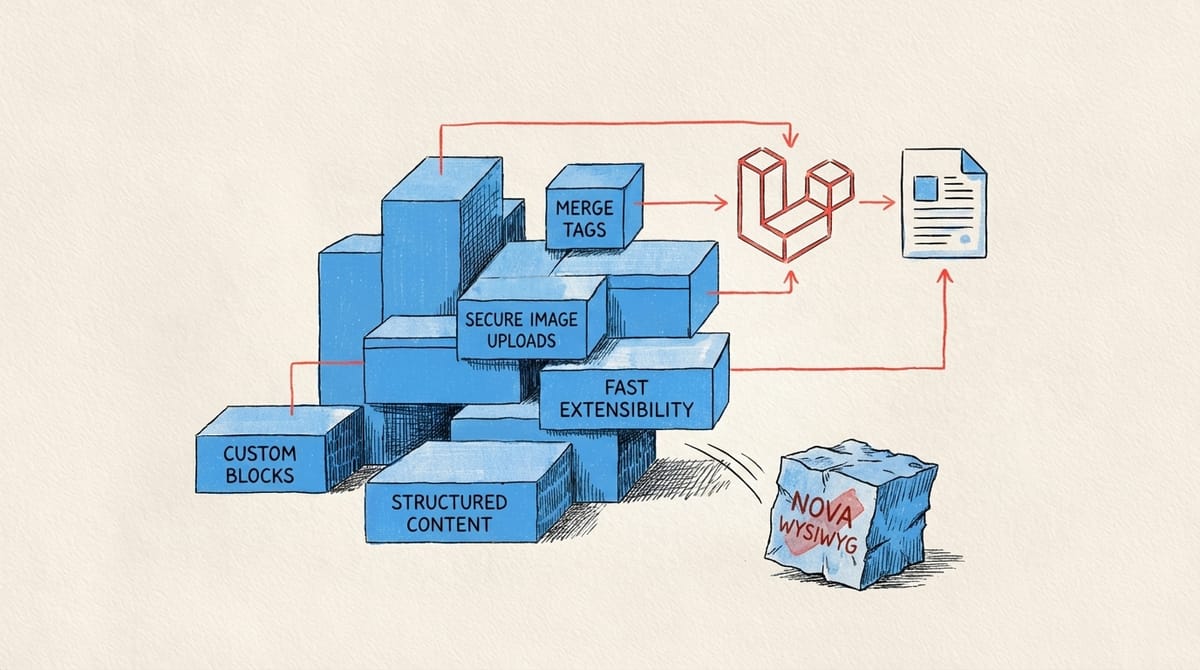
Filament’s new TipTap editor replaces Trix with custom blocks, merge tags, secure image uploads and fast extensibility. It brings modern, structured content editing to Laravel and outclasses Nova’s dated WYSIWYG experience.

Introduction
For years, Laravel developers have worked with admin editors that felt dated: simple WYSIWYG fields, limited formatting, unreliable image handling, and no real concept of structure. Trix — the editor commonly used in Laravel Nova and many legacy Laravel projects — was fine when it launched, but it has not kept up with modern content expectations.
FilamentPHP’s switch to a TipTap-powered editor in version 4 changes the game. It offers structure instead of chaos, flexibility instead of constraints, and an editing experience that content creators actually enjoy. More importantly, it aligns with how modern teams produce content today.
This article breaks down what makes the new Filament editor special, why it surpasses Trix-based tools, and what it means for teams building serious content platforms.
Custom blocks bring structure instead of chaos
The most immediate upgrade is support for custom blocks.
This allows editors to insert reusable, structured components such as:
- hero banners
- galleries
- call-to-action sections
- testimonials
- product highlights
- code examples
Unlike Trix, which treats everything as a blob of HTML, TipTap stores structured nodes.
The result: clean markup, consistent rendering, and far fewer layout mishaps.
In Filament, you register them through customBlocks() — and the mapping to Blade components makes integration predictable and maintainable.
Source: Filament v4 feature overview
https://filamentphp.com/content/leandrocfe-whats-new-in-filament-v4
Merge tags finally solve dynamic content placeholders
Anyone who has tried to build personalised templates, multi-tenant pages or newsletter layouts knows how painful it is to insert dynamic placeholders in Trix.
Filament’s TipTap editor includes merge tags, so editors can drop in values like:
{{ author }}{{ publish_date }}{{ site_name }}- any custom dynamic placeholder you expose
This alone makes Filament a far better choice for marketing teams or any app that needs dynamic, reusable content.
Source: Filament rich editor docs
https://filamentphp.com/docs/4.x/forms/rich-editor/
Private image uploads work like you expect in Laravel
Trix’s attachment system is notoriously unpredictable and limited. Developers often rely on external packages or handwritten tweaks just to get basic image workflows working.
Filament’s TipTap integration embraces Laravel’s storage system:
- choose the disk
- choose the directory
- secure uploads using Laravel’s visibility rules
- consistent rendering
- simple clean-up and transformations
This is what image handling in a Laravel admin should always have felt like.
Extensibility is where Filament pulls ahead
TipTap is designed to be extended, and Filament exposes that power cleanly. Developers can add:
- custom block types
- new toolbar buttons
- specific node types
- custom HTML output
- Blade-rendered components
It’s possible to build a business-specific block — for example “feature card with icon, background, and text” — in minutes, not hours.
Contrast that with Nova, where extending the editor usually requires building custom Vue components, compiling assets, and navigating undocumented behaviour.
Why Nova's Trix editor feels outdated
Laravel Nova is still respected, but its editor stack is showing its age. Developers frequently mention:
- limited heading options
- no native custom blocks
- awkward attachment handling
- lack of layout control
- difficulty customising editor behaviour
Source: Nova GitHub discussion
https://github.com/laravel/nova-issues/discussions/5364
For content-heavy applications — blogs, documentation tools, marketing pages, educational platforms — Trix becomes a bottleneck, not a feature.
Filament’s move to TipTap directly addresses the limitations teams have been complaining about for years.
What this means in real projects
For developers
- predictable HTML and structured content
- cleaner Blade templates
- fewer editor bugs
- fast setup for custom content types
- integration with Laravel’s filesystem and policies
For editors
- intuitive blocks
- clean formatting
- flexible layouts
- dynamic placeholders
- reliable media uploads
For product teams
- consistent UI
- faster production
- reduced support burden
- safer editing workflows
Filament’s new editor doesn’t just “feel better” — it reduces friction across the whole development and content chain.
Getting started is fast
RichEditor::make('content')
    ->customBlocks([
        'hero',
        'gallery',
        'call_to_action',
    ])
    ->mergeTags([
        'author',
        'site_name',
        'publish_date',
    ])
    ->disk('public')
    ->directory('uploads/articles')
    ->required();
This is all you need for a modern content workflow.
From here, custom nodes, extra blocks, or specialised formatting can be added one by one.
Conclusion
Filament’s adoption of TipTap transforms the editor from a simple text area into a structured, extensible content tool. It eliminates long-standing issues with Trix, giving teams a modern foundation built for real-world content.
Nova may eventually catch up, but today the contrast is hard to ignore: Filament offers the kind of editor that modern Laravel apps need — flexible, secure, and built for both developers and creators.

I offer hands-on consulting to help you resolve technical challenges and improve your CMS implementations.
Get in touch if you'd like support diagnosing or upgrading your setup with confidence.